💡 Tip: click anything to copy it instantly.
Shared by visitors
Ideas other people saved for this word. Click one to copy it.
🆕 Just added
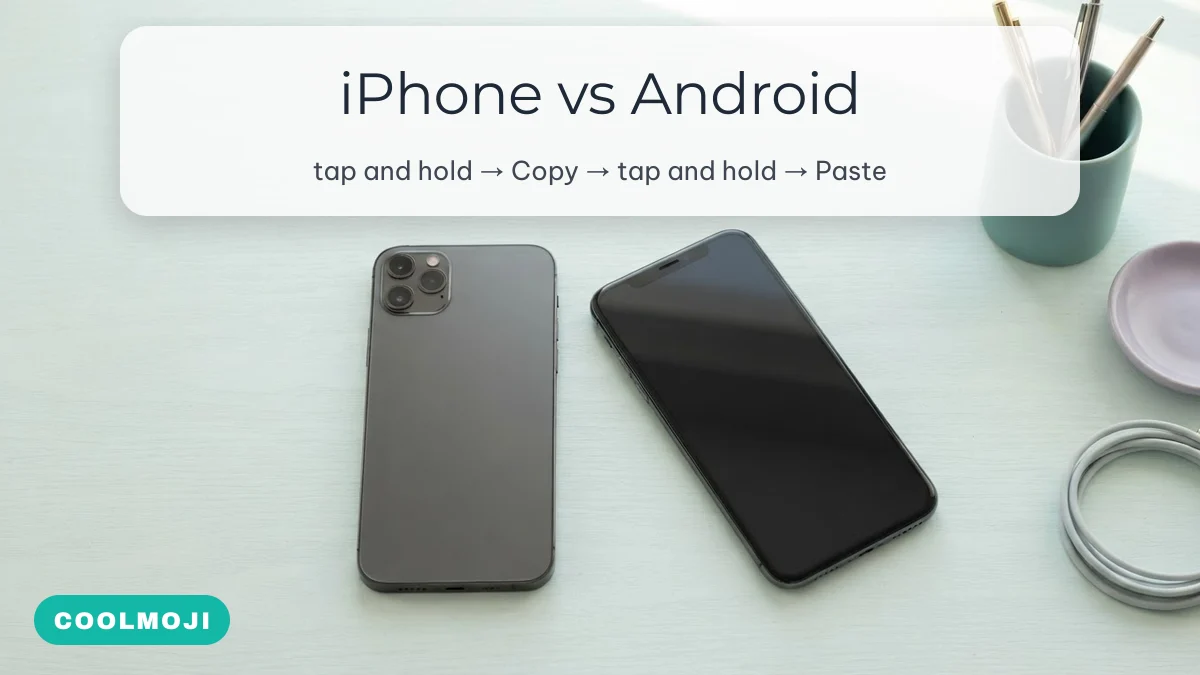
To copy and paste an emoji, tap and hold it until the Copy option appears (or tap it once on a copy site like this one), then tap and hold inside the text field where you want it and choose Paste. The steps are nearly the same on iPhone, Android and WhatsApp; on a computer, a keyboard shortcut opens an emoji picker instead.
Last updated: 28 September 2026 · COOLMOJI Editorial Team · steps written for iOS 17–26, Android 13–16, Windows 11 and macOS
Practice set: tap any emoji to copy it
Every emoji below copies with a single tap and a small “Copied” message appears. Then switch to the app you want and paste. If a message says copying is blocked, you are inside an app’s built-in browser — press and hold the emoji instead, or open the page in Safari or Chrome.
Faces
Hands and gestures
Everyday objects, food and animals
How to copy and paste emoji on iPhone
On an iPhone, copying an emoji from a web page or message takes a long press and paste takes a second one. This works the same in Safari, Notes, Messages and Instagram.
- Copy. On COOLMOJI, tap the emoji once. Anywhere else, tap and hold on the emoji until the blue selection handles and the menu appear, then tap Copy.
- Open the destination — a chat, a caption, your bio.
- Paste. Tap once in the text field, tap again (or tap and hold), and choose Paste.
- If iOS asks “Allow Paste?”, tap Allow. Since iOS 16 the iPhone asks before an app reads what you copied, unless you paste it yourself from the menu.
To type emoji without copying at all, add the emoji keyboard: Settings → General → Keyboard → Keyboards → Add New Keyboard → Emoji. Then tap the smiley or globe key and use the search bar at the top of the emoji keyboard.
How to copy and paste emoji on Android
On Android, the steps match the iPhone, and most phones add a clipboard that remembers what you copied recently. The menu wording is the same on Samsung, Pixel, Xiaomi and OnePlus phones.
- Copy. Tap once on this site, or tap and hold on an emoji elsewhere and choose Copy.
- Paste. Tap and hold inside the text field and choose Paste.
- Paste something you copied earlier. In Gboard, tap the clipboard icon in the toolbar above the keys to see recent clips. Clips that are not pinned are cleared after an hour, so pin any combo you want to reuse.
The emoji key on Gboard is the smiley next to the space bar (or a long press on the Enter key on some layouts), and Samsung Keyboard has its own smiley key in the toolbar.
WhatsApp, Instagram and other apps
Inside apps the paste step is identical; what changes is what happens to the emoji afterwards.
| Where you paste | How | What to know |
|---|---|---|
| WhatsApp chat | Tap and hold in the message box → Paste | WhatsApp draws its own emoji, so newer ones often show even on an older phone |
| WhatsApp About / status | Settings → your profile → About → paste | About is limited to 139 characters, and one emoji can count as two or more |
| Instagram bio | Edit profile → Bio → paste | 150-character limit; combos with invisible joiners use it up quickly |
| Instagram or Facebook comments | Tap the comment box, tap and hold → Paste | Works normally; only usernames refuse emoji |
| Username or handle fields | — | Usually rejected: handles accept letters, numbers, dots and underscores only |
To copy an emoji that someone sent you on WhatsApp, press and hold the message and tap Copy — that copies the whole message, so paste it and delete what you do not need.
How to paste emoji on a computer
On a PC or Mac you do not need to copy emoji from anywhere: both systems have a built-in emoji picker that opens with a shortcut and has a search box.

| System | Shortcut | Then |
|---|---|---|
| Windows 10 and 11 | Windows key + . (full stop) or Windows key + ; | Type a word such as “smiling” to search, press Enter to insert |
| macOS | Control + Command + Space, or the fn / globe key + E | Search in the Character Viewer, double-click to insert |
| ChromeOS | Launcher (Search) + Shift + Space | Pick from the emoji picker |
| Any browser | Copy from a page with Ctrl + C (Cmd + C on Mac) | Paste with Ctrl + V (Cmd + V) |
So, to type 😊 on a Windows keyboard: press Windows key + . , type “smiling”, and choose the smiling face with smiling eyes.
Test what a field accepts before you commit
Bios, display names and usernames each accept a different set of characters, and they rarely say so. Paste these test strings one at a time into the field you care about: whichever ones survive intact tell you which kind of character that field allows. Replace the example name with yours once you know.
Plain emoji usually survive everywhere except usernames; styled letters such as the bold and script names are separate Unicode characters, so a field that allows them allows any “font”; and when the underline beneath the underlined name disappears, the field strips marks.
Text faces and symbols that are not emoji
Kaomoji and symbols are ordinary text characters rather than emoji, so they paste into places that refuse emoji and never change colour or style between phones.
Why an emoji looks different after you paste it
An emoji is a code, not a picture. When you copy 🥺, you copy the code U+1F97A; each phone then draws it in its own style. That is why an Apple emoji pasted on a Samsung phone looks like Samsung’s version, and why “iPhone emoji for Android” keyboard apps only change what you see — the person you send it to still sees their own phone’s design.
- An empty box or question mark means the receiving device is too old to know that emoji. A system update fixes it.
- One emoji turns into two (for example a heart and a bandage instead of ❤️🩹) when the device does not support that combined sequence and shows its parts instead.
- Decorative marks disappear when a field strips combining characters — common in display names.
If you have pasted an emoji and want to know what it is officially called, the what is this emoji page names the confusing ones, and 🥺 in particular is covered on the sad emoji page as the pleading face.
Copying combos instead of single emoji
Everything above works for combos too — a tap copies the full string, invisible joiners included. The difference is length: a combo that looks like five symbols can be twenty characters long. The emoji combos guide explains how they are built, and if you are copying ticks for a profile, read the verified emoji page first. The full library is on the COOLMOJI homepage.
FAQ
How do I copy and paste an emoji on iPhone?
Tap and hold the emoji and choose Copy (or tap it once on a copy site), then tap and hold in the text field and choose Paste.
How do I paste emojis on a PC?
Either paste with Ctrl + V after copying, or skip copying: press Windows key + . to open the emoji panel and pick one.
How do I paste an emoji into a text message?
Copy it, open the message box, tap and hold inside it and choose Paste. On a computer, click in the box and press Ctrl + V or Cmd + V.
Why does the copy button not work inside Instagram?
Some in-app browsers block copying from web pages. Press and hold the emoji to copy it manually, or open the page in Safari or Chrome.
Can I copy every emoji at once?
Copy a whole row by selecting it with a long press and dragging the handles. Very long selections can exceed the limit of the field you paste into.